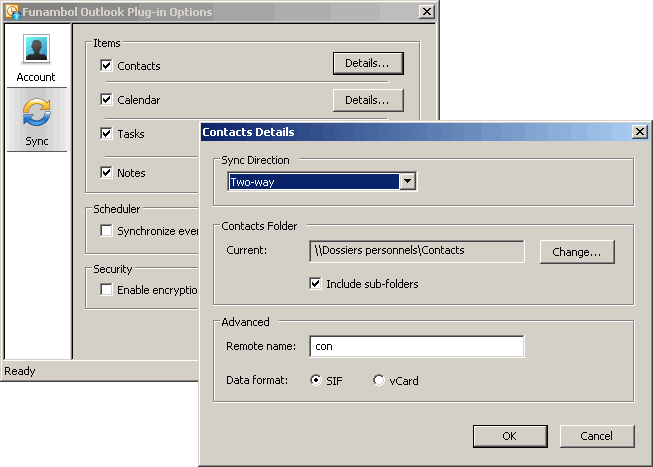
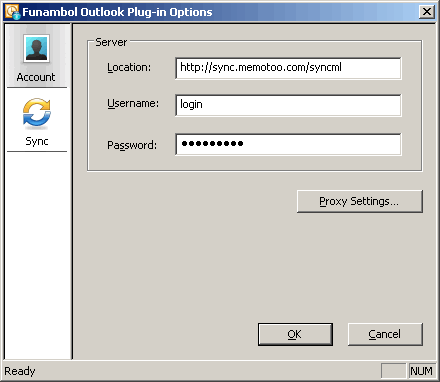
» Make sure you have set Location to http://sync.memotoo.com/syncml
» If you see
COM Pointer error in the log file, or if you have an error message
Could not find default folder, go to
this page» If you have error
Error accessing Redemption.MAPIUtils object, go to
this page» If you have error Folder not found: 'Outlook' under root folder, right click on the very first row in Outlook structure (something like 'Outlook', 'Personal Folder', etc.) -> properties -> general tab -> RENAME IT. For whatever you want. Now you'll manually choose sync folders again and you're up and running
» The plugin is not compatible with
Outlook 64 bits version: uninstall Outlook 64 bits and install the 32bits version, or try the
Nexthaus plugin» The plugin is not compatible with Outlook for Mac, so use
ActiveSync to sync
Outlook 2016 for Mac» If you have problems with date and hours, verify you have the same timezone in
Memotoo and on your device, and verify if DST (Daily Saving Time) is activated in both or not.
 Sync my files med:


 Kontakter
 Calendar / events
 Tasks
Tasks Noter
Noter Files &
  Pictures &
  Videos
 SSL:
SSL: