 Access your files through FTP
 , FireFTP, ...), you can access to your documents hosted on Memotoo:
|
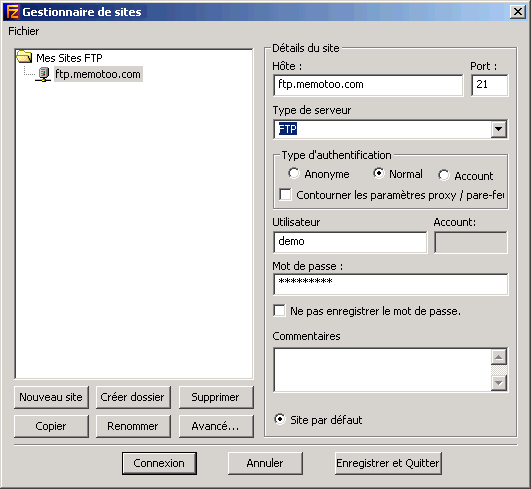 |
 To secure the data transfer, you can use FTPES (FTP over explicit TLS/SSL)
 , Mozilla Firefox
 , ...) use this address:
 How to sync my files with my computers (Windows, Linux, ...)?


