


Features » Access your contacts using a LDAP directory |
| A LDAP directory is a system to store data that can communicate with the majority of e-mail clients. Here this system is simulated so you can access your Memotoo address book directly in your e-mail client! |
||||||||||||||||||
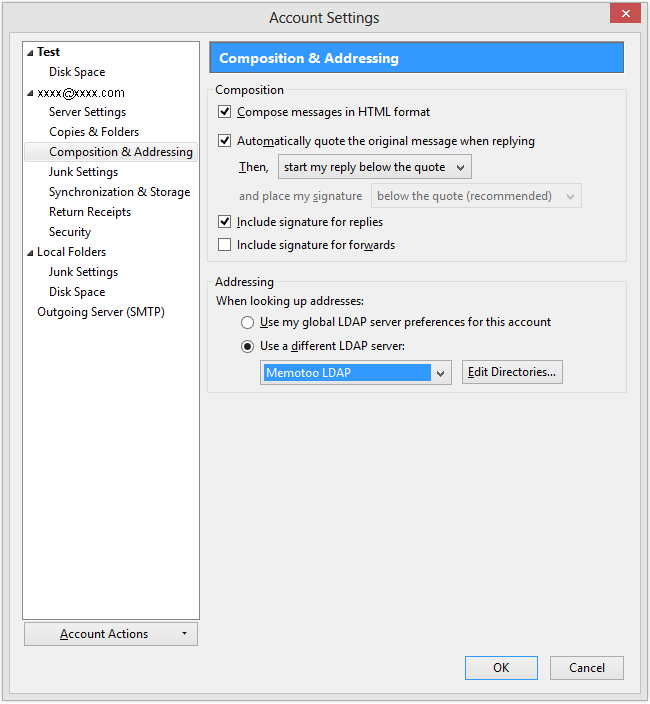
With Mozilla Thunderbird you can access your Memotoo
contacts directly when you start typing an e-mail address: 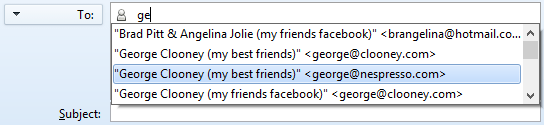
» Mozilla Thunderbird will show suggested e-mail addresses stored in Memotoo!
How to set it up:
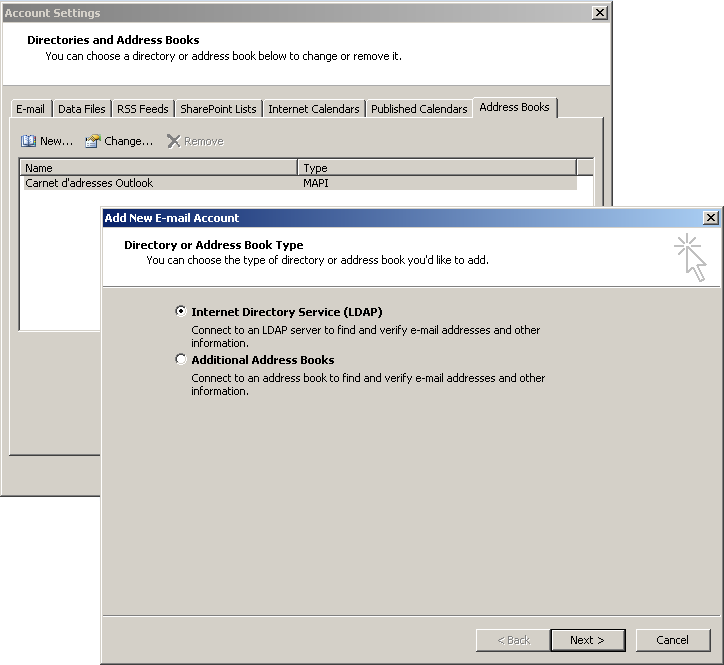
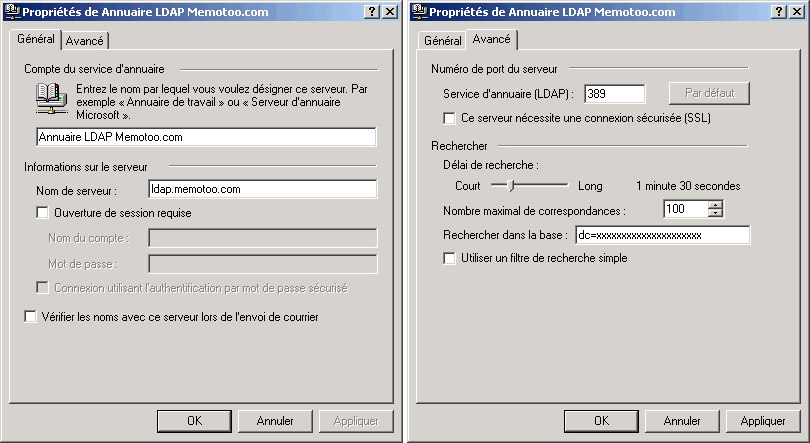
Search contacts stored in Memotoo with Outlook or Outlook
Express directly with the function "Search contacts"! 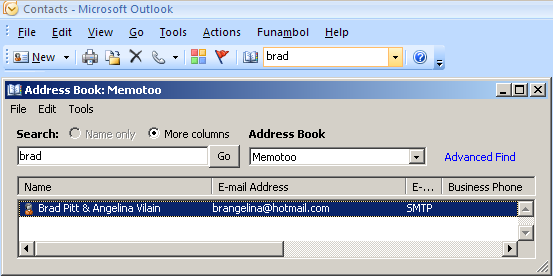
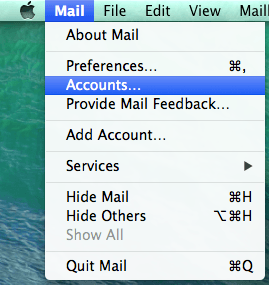
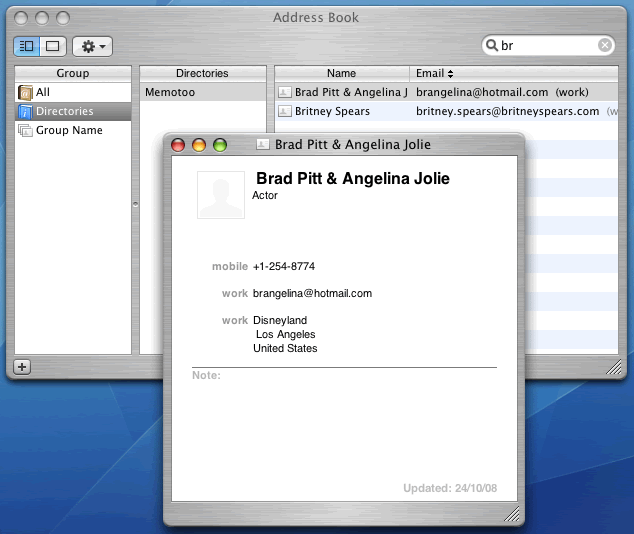
In the Mail software in Mac OS X, you can access your
Memotoo contacts directly when you start typing an e-mail address: 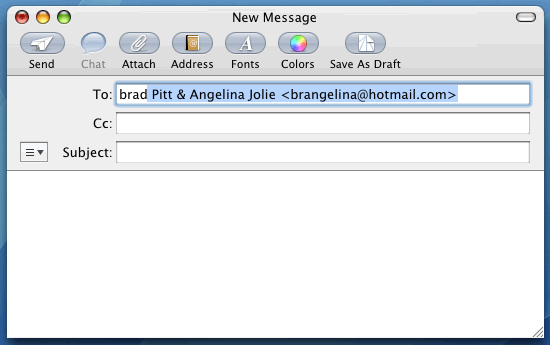
» The software will show suggested e-mail addresses stored in Memotoo!
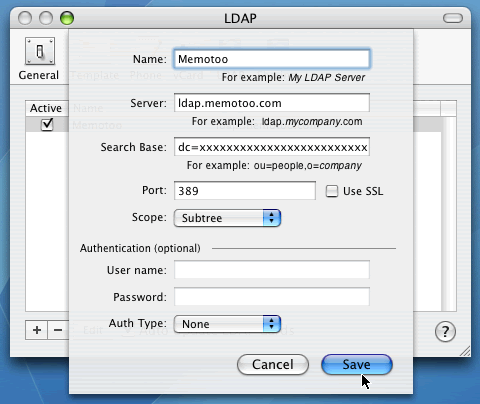
How to set it up:
|
||||||||||||||||||
Settings to enter in your e-mail client application:
|
||||||||||||||||||
 Mozilla Thunderbird
 Outlook /
  Outlook Express
 Mac OS X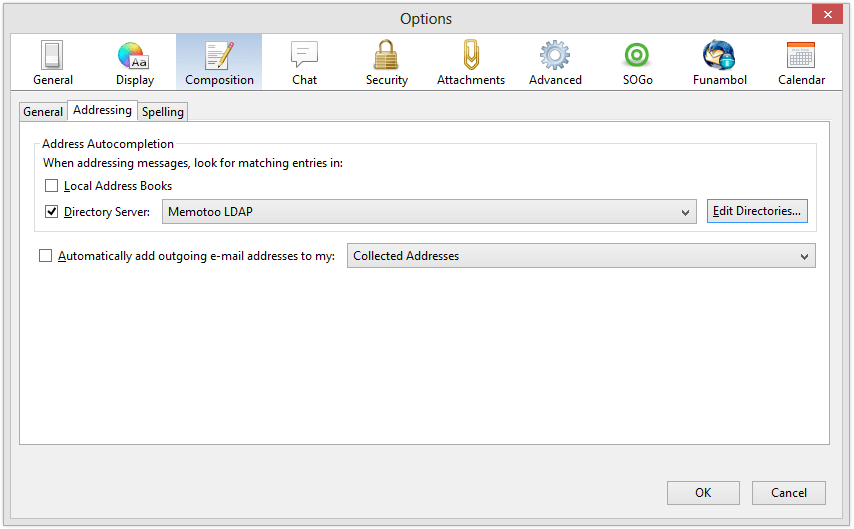
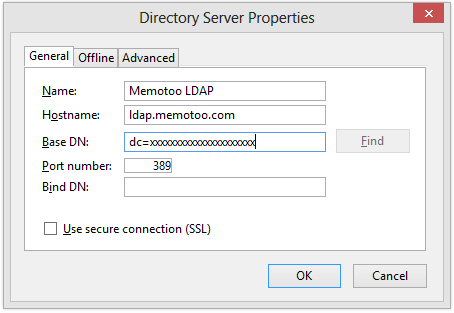

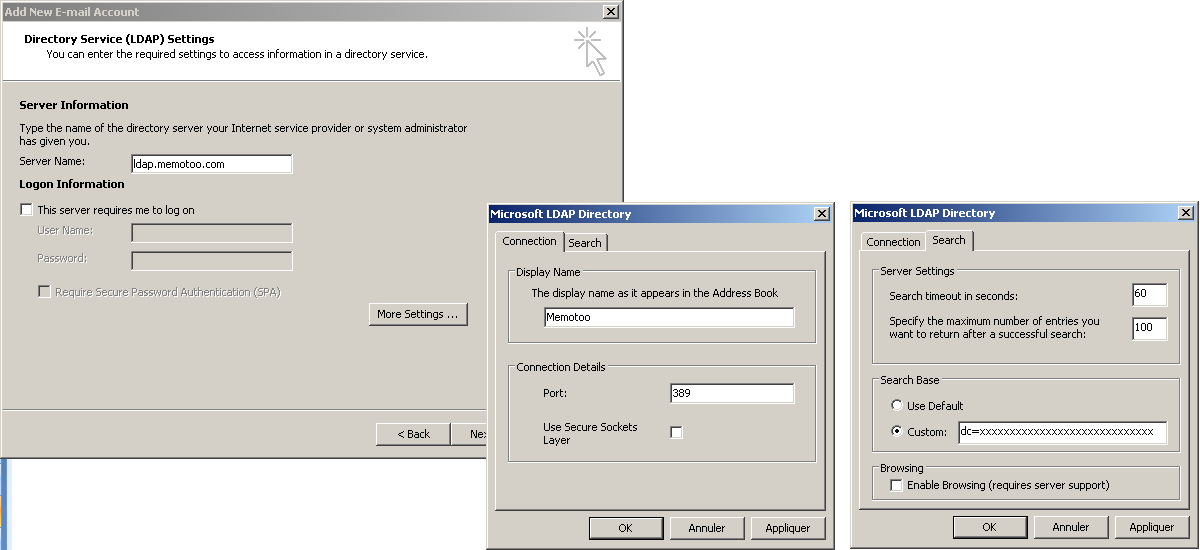
 If you want to limit the search to specific contact groups enter this in "Base name / Base DN":
ou=groupe1,ou=groupe2,dc=xxxxxxxxxxxxxxxxxxxxxxx
(replace "group1" and "group2" with the name of one of your groups)
Impossible to connect to LDAP directory if you use an Internet proxy