Features and benefits of Memotoo
Log in with your username and password and have instant access to your personal data:
My Bookmarks Your bookmarks »
show thumbnails of your bookmarks, PageRank, detect duplicates, show by tag, ...
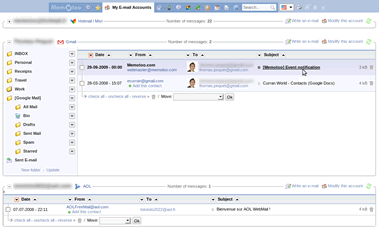
My E-mail Accounts Your e-mails »
Access here all your e-mail accounts (Gmail, Yahoo, AOL, Hotmail, ...) in a single page!
My E-mail Addresses E-mail addresses of your friends and contacts »
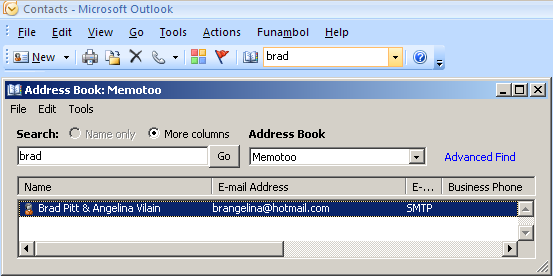
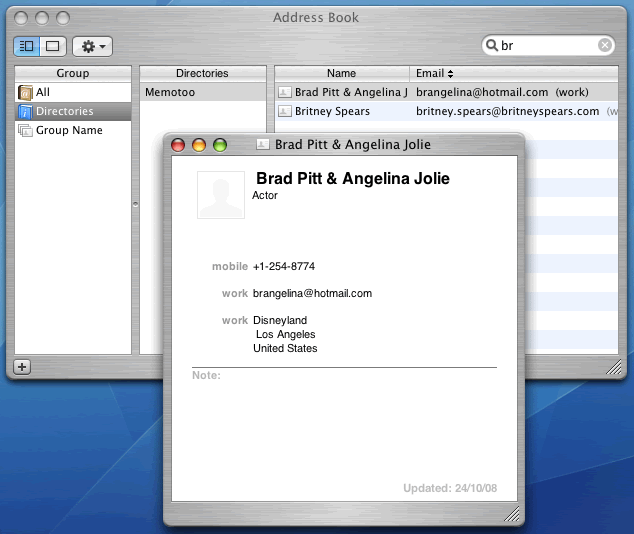
Benefits of Memotoo: get direct access through a LDAP directory in your e-mail client!
My Phone Book Their phone numbers »
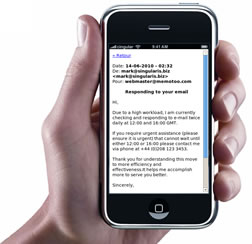
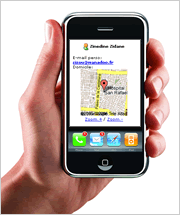
View your data on your mobile phone (WAP / XHTML)
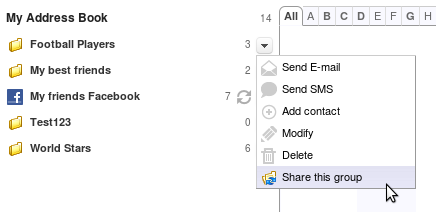
My Address Book Their addresses »
see where your contacts live with Map / Directions with Google Maps or Map / Directions with ViaMichelin or Map / Directions with Map24 or Map / Directions with Maporama or Map / Directions with MapQuest, e-mail notification for their birthdays, ...
My Calendar Your calendar, tasks and notes »
receive notifications for birthdays and other calendar events by e-mail or on your mobile phone, share your diary with your friends, ...
My Files Your files »
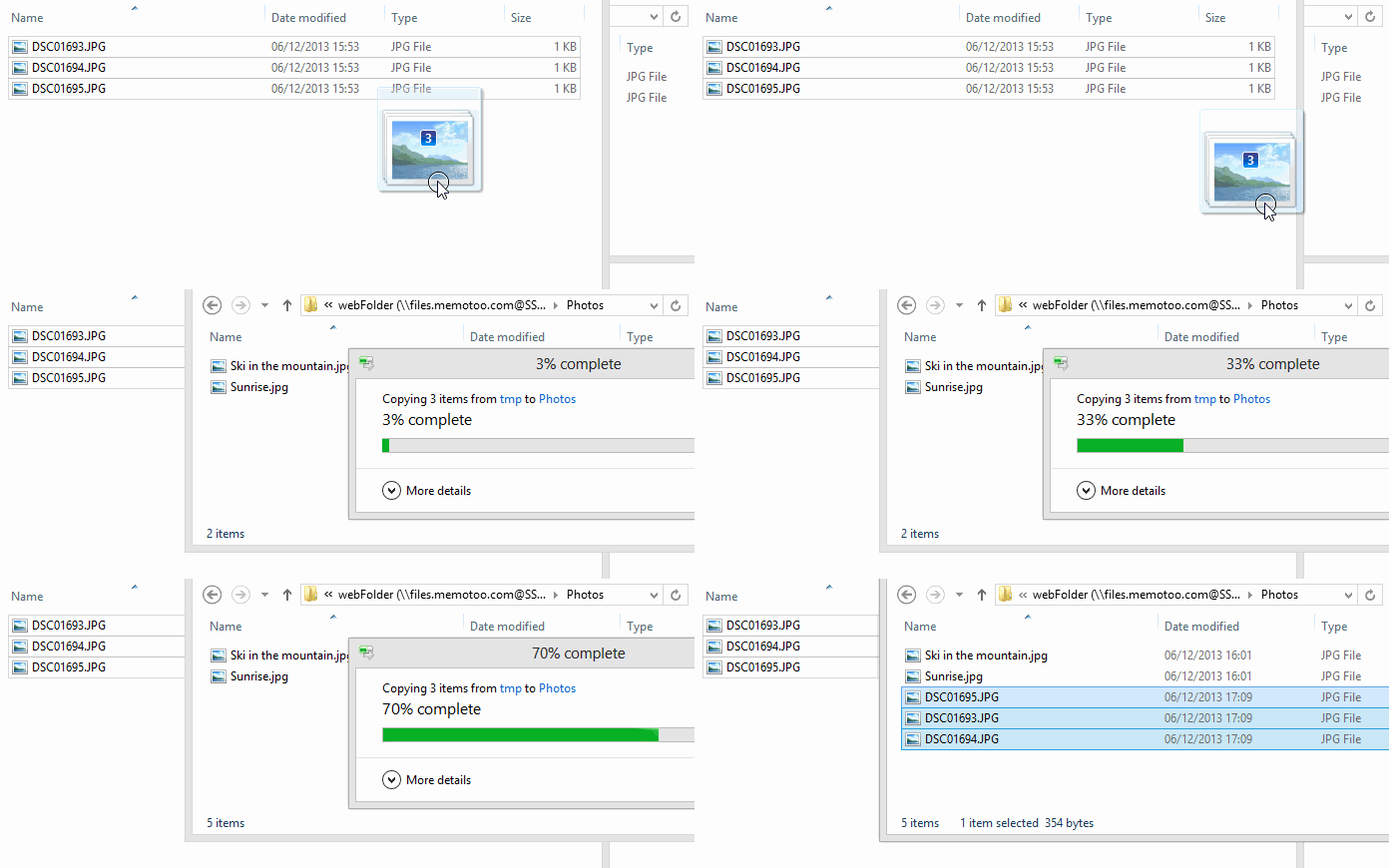
Benefits of Memotoo: Online file storage, accessible through a WebFolder in Windows ExplorerWebFolder - WebDav, with FTP, ...
Confidentiality and security of your information are GUARANTEEDConfidentiality and security of your information are GUARANTEED


Synchronize Synchronize your data with your mobile phone (with SyncML)

After each synchronization your mobile phone and Memotoo will have the same data!

Search
Apple iPad
Apple iPad
SonyEricsson W810i
SonyEricsson W810i
LG KC910
LG KC910
Motorola Z10
Motorola Z10
Nokia 6800
Nokia 6800
SonyEricsson P900
SonyEricsson P900
Apple iPod Nano
Apple iPod Nano
...
Synchronization can also be performed with e-mail client OutlookOutlook, your PalmPalm / Palm Desktop / PalmOne, your iPodiPod, your BlackBerryBlackBerry,... after installing and configuring the right plugin.

 
My E-mail AccountsAccess all your e-mail in a single page from Google, Yahoo, Hotmail / MSN, ...!
Access all your e-mail in a single page from Google, Yahoo, Hotmail / MSN, ...!On your mobile phone
GmailHotmail / MsnYahoo! Mail


see where you friends live and how to get to your clients, ...
 

Demo
View your contacts World Map with Google Maps and Google Earth!
Google EarthGoogle EarthLink
 

View your data on your mobile phone (WAP / XHTML) View your data on your mobile phone (WAP / XHTML)

Go to the address below with the browser of your mobile phone, log in, and view your data (address book, calendar, tasks, notes and bookmarks)!


WAP server address: wap.memotoo.com
View your data on your mobile phone (WAP / XHTML)


Memotoo plugins for your browser

Memotoo plugin for Internet Explorer

Permanent sidebar

Permanent sidebar
Compatibility: Internet Explorer and Mozilla Firefox and Mozilla.org Suite
(click icons to test)
Navigation toolbar with frames

Navigation toolbar with frames
Multiple browser compatibility


Virtual Desktop: on Windows Microsoft Windows Active Desktop

Virtual Desktop: on Windows  Active Desktop
Access your files through a Web FolderWebFolder - WebDav

Access your files through a Web Folder


Add Memotoo widgets to iGoogleiGoogle, NetvibesNetvibes.com, Windows VistaWindows Vista, Apple DashboardMac OS X, ...
Example of a customized Netvibes homepage
Example of a customized Netvibes homepageNetvibes.com
Example of a customized iGoogle homepage
Example of a customized iGoogle homepageGoogle
Add Memotoo:

Add to Netvibes NetvibesNetvibes.com

Add to Google iGoogleGoogle

Add to Windows Live.com Windows LiveWindows Live.com

Add to Windows Vista Sidebar Windows Vista SidebarWindows Vista

Add to Apple Dashboard Apple DashboardMac OS X

Add to Opera OperaOpéra


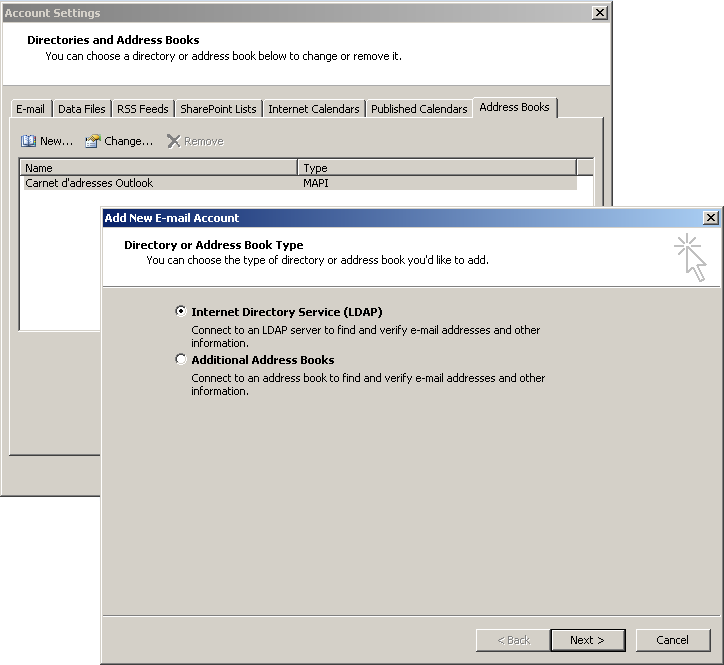
Access your contacts using a LDAP directory
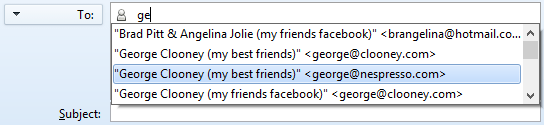
With Mozilla Thunderbird you can access your Memotoo
contacts directly when you start typing an e-mail address:
Access your contacts using a LDAP directory
» Mozilla Thunderbird will show suggested e-mail addresses stored in Memotoo!

How to set it up:
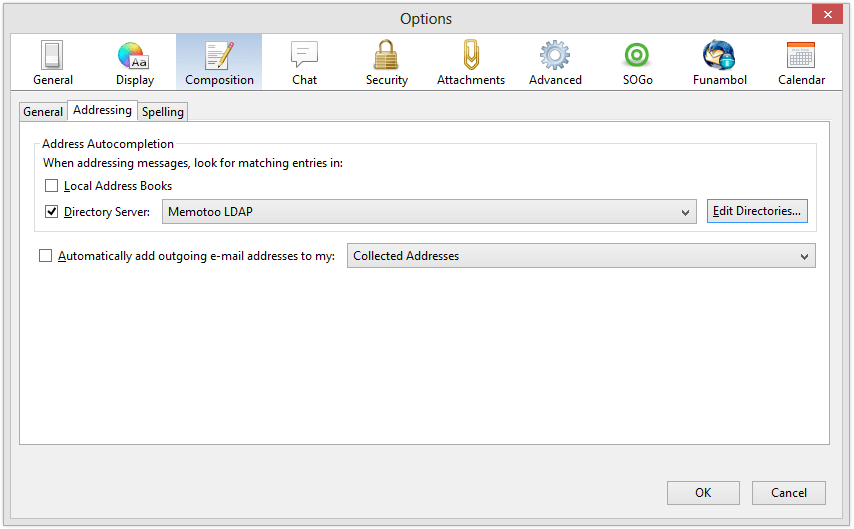
  • Go to "Options" in the "Tools" menu

  • In "Composition" check the "Directory Server" box and click "Edit Directories..."
    In
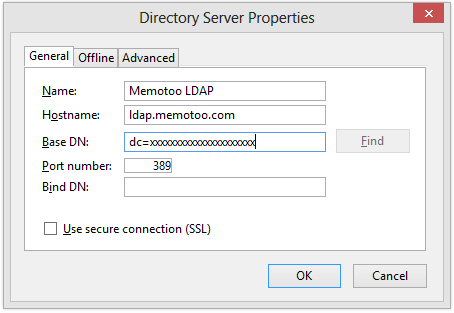
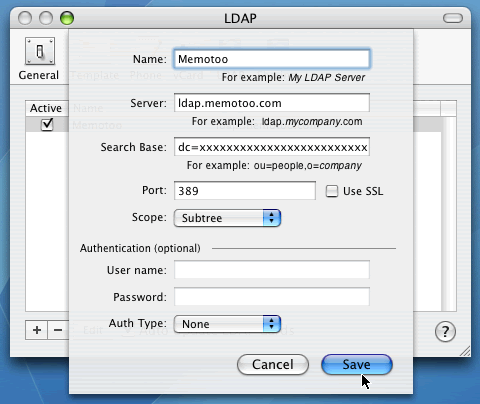
  • Next add the directory server (complete with settings below)
    Next add the directory server (complete with settings below)
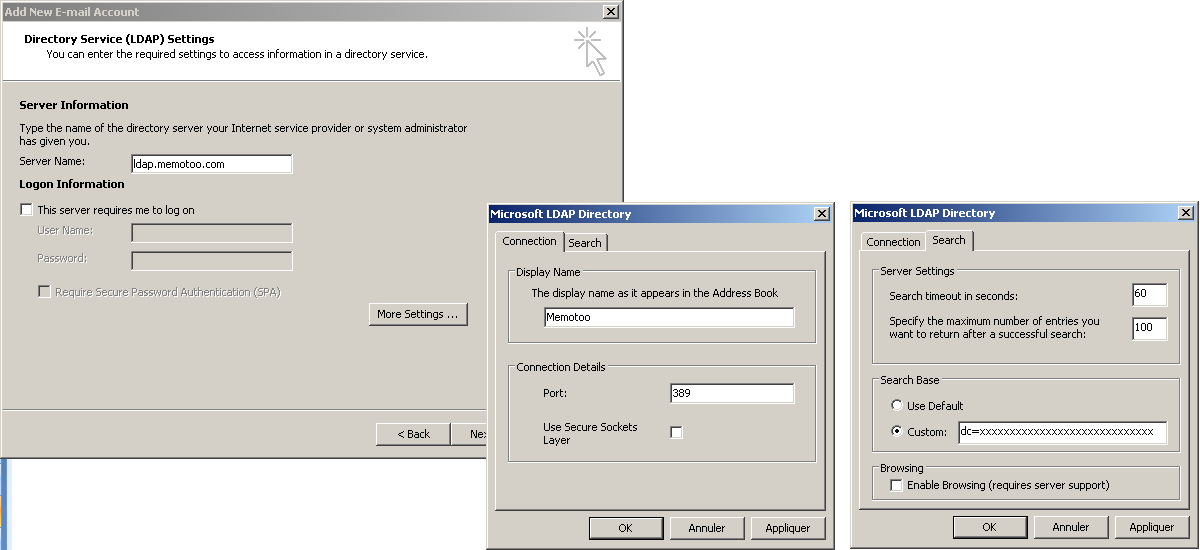
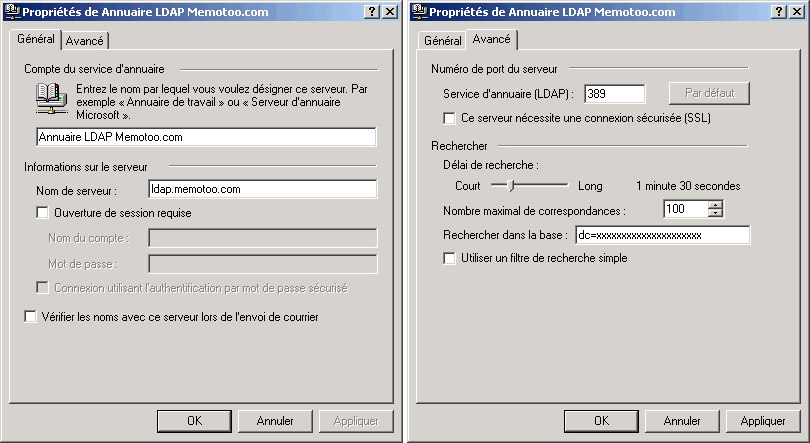
    LDAP directory address / Hostname ldap.memotoo.com
    Port number 389
    Base name / Base DN You must log in to see the base name
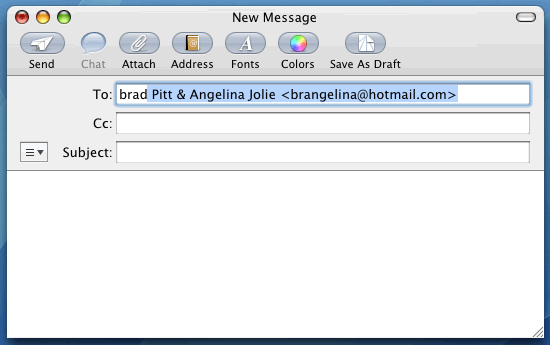
  • To test if it's OK write a new e-mail, start typing the beginning of a name or e-mail address of one of your contacts in the "To:" field and wait until Thunderbird shows a list of suggested contacts (this could take few seconds).
    Access your contacts using a LDAP directory

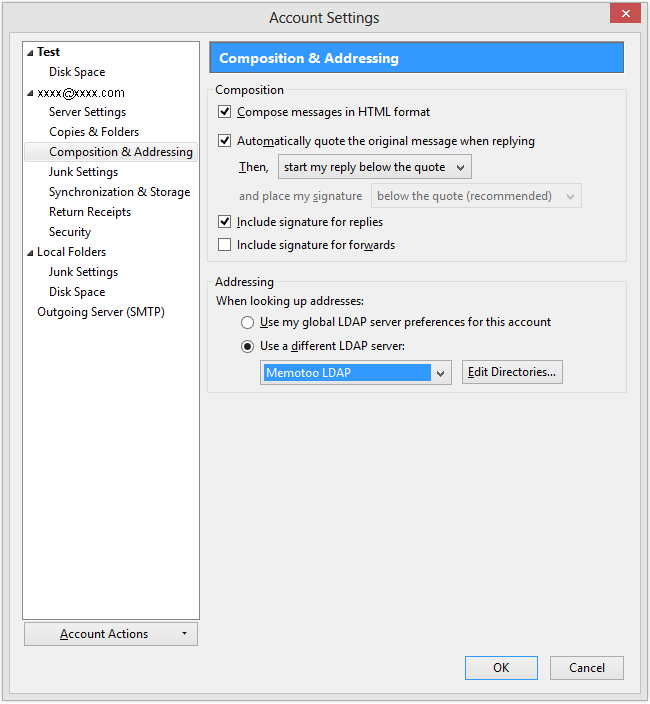
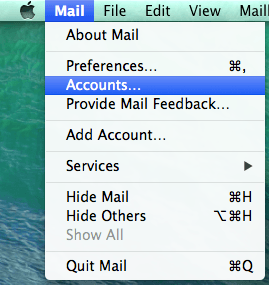
  • If the text that you typed becomes red it means Thunderbird cannot connect to Memotoo: check your configuration in "Account Settings ..." with the image below:


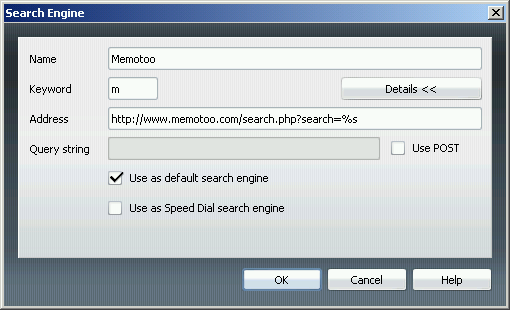
AddAdd the Memotoo search engine to your browser

Add the Memotoo search engine to your browser


Google Toolbar Add direct access to your Memotoo data to the Google Toolbar
Add direct access to your Memotoo data to the Google Toolbar

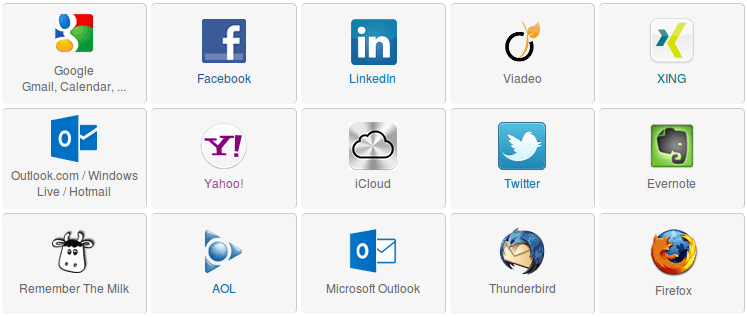
Import, export and synchronize Synchronize your personal data in many formats

Memotoo is a online backup too » don't lose your personal data after a "system crash", they will always be here into Memotoo


© 2001-2010 Memotoo - All rights reserved - Contact - Terms and Conditions - Privacy Policy