Memotoo sync all you want !
Sync Mozilla Thunderbird with Memotoo |
| Synchronization possible: | |
 Contacts Contacts |  |
 Calendar / events Calendar / events | |
 Tasks Tasks | |
| Configure your Mozilla Thunderbird with: |
| or or or |
 SOGo Connector
 CardBook
1 Download plugin SOGo Connector Thunderbird 
2 In Mozilla Thunderbird, use the menu "Tools" / "Add-ons", click on "Install..." (at bottom left) and select the .xpi file downloaded (rename this file if it have not an extension .xpi)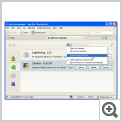
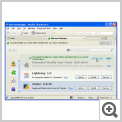
3 Restart Mozilla Thunderbird and go to the Address Book
4 Create a new Remote Address Book: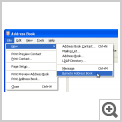
5 Define the URL of the Memotoo address book: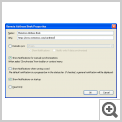
6 Restart Mozilla Thunderbird and go to the Address Book
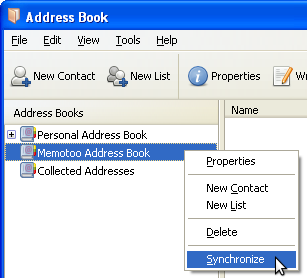
7 Click on "Synchronize":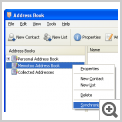
 Contact groups will not be syncedPhotos
 of your contacts cannot be syncedWhen you start Thunderbird, if SOGo ask you your password everytime, install also SOGo Integrator
 Contacts /
  &
& Use
Use 2 In Mozilla Thunderbird, use the menu "Tools" / "Add-ons", click on "Install..." (at bottom left) and select the .xpi file downloaded (rename this file if it have not an extension .xpi)

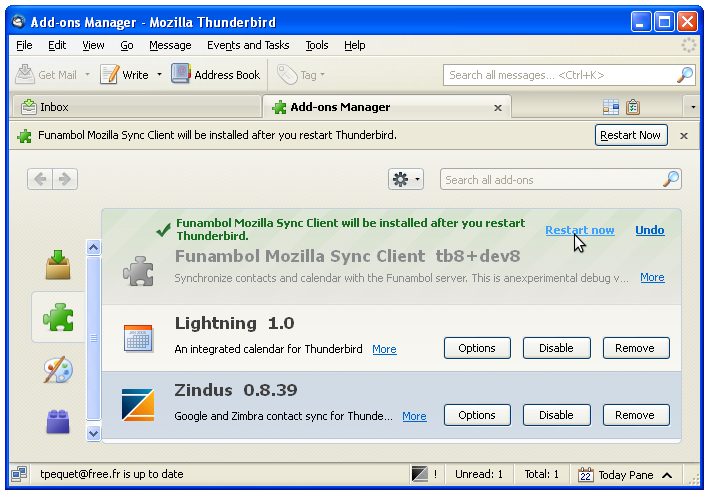
3 Restart Mozilla Thunderbird and go to the Address Book
4 Create a new Remote Address Book:
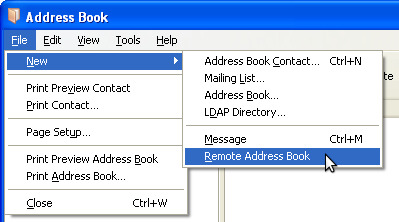
5 Define the URL of the Memotoo address book:
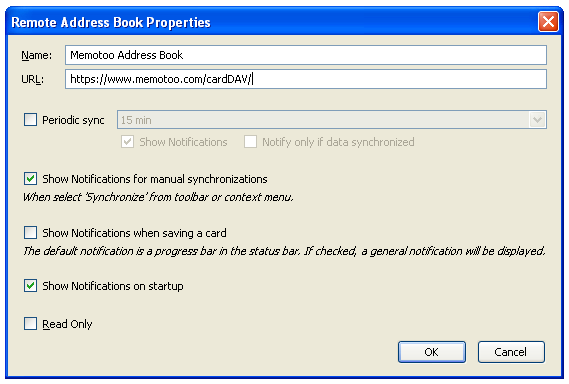
URL:
Sync some Memotoo groups?
6 Restart Mozilla Thunderbird and go to the Address Book
7 Click on "Synchronize":
 Contact groups will not be syncedPhotosof your contacts cannot be syncedWhen you start Thunderbird, if SOGo ask you your password everytime, install also SOGo Integrator